
Making the most of Docker on Nuvolos

Introduction
Containerization has become an essential method for tool deployment in computational research. It enables scalability and efficiency by simplifying deployment across a wide range of often quite different tools, and enhances reproducibility by guaranteeing that two different people can deploy the same kind of application in the same configuration regardless of who or where they are, as long as they have access to the relevant container specifications. This makes it much easier to provide the necessary software and library information for the purposes of peer review or experimental replication, to name some salient use cases.
Nowadays, containerization largely revolves around Docker, the standard tool for simplifying the creation, configuration, and management of containers. In computational research, being able to consistently execute complex software stacks on varied systems is essential, so that Docker has rapidly gained in popularity in a large variety of research fields. Docker-based containerization methods not only make tool deployment easier but also enhance sharing and collaboration by providing a common, widely accepted tool for working with containers, on top of the general reproducibility benefits outlined above.
Docker on Nuvolos
As the leading platform for productivity and collaboration in computational research, Nuvolos naturally offers advanced Docker integration. Nuvolos offers full support for Docker containers on the platform:
- Nuvolos apps run on Docker images. This enabled you to benefit from all the scalability and elastic compute power provided by the cloud.
- You can edit the environment on the fly as well. On Nuvolos, you can of course specify any particular libraries and configurations in your Docker file any time when you want to. However, you can also use the interactive CLI with Conda to do so, which is easier and makes the process smoother than trying to get Docker files just right. For more complex dependency trees, Conda is likely the right solution, and Nuvolos offers it 'out of the box' for any working environment you might want.
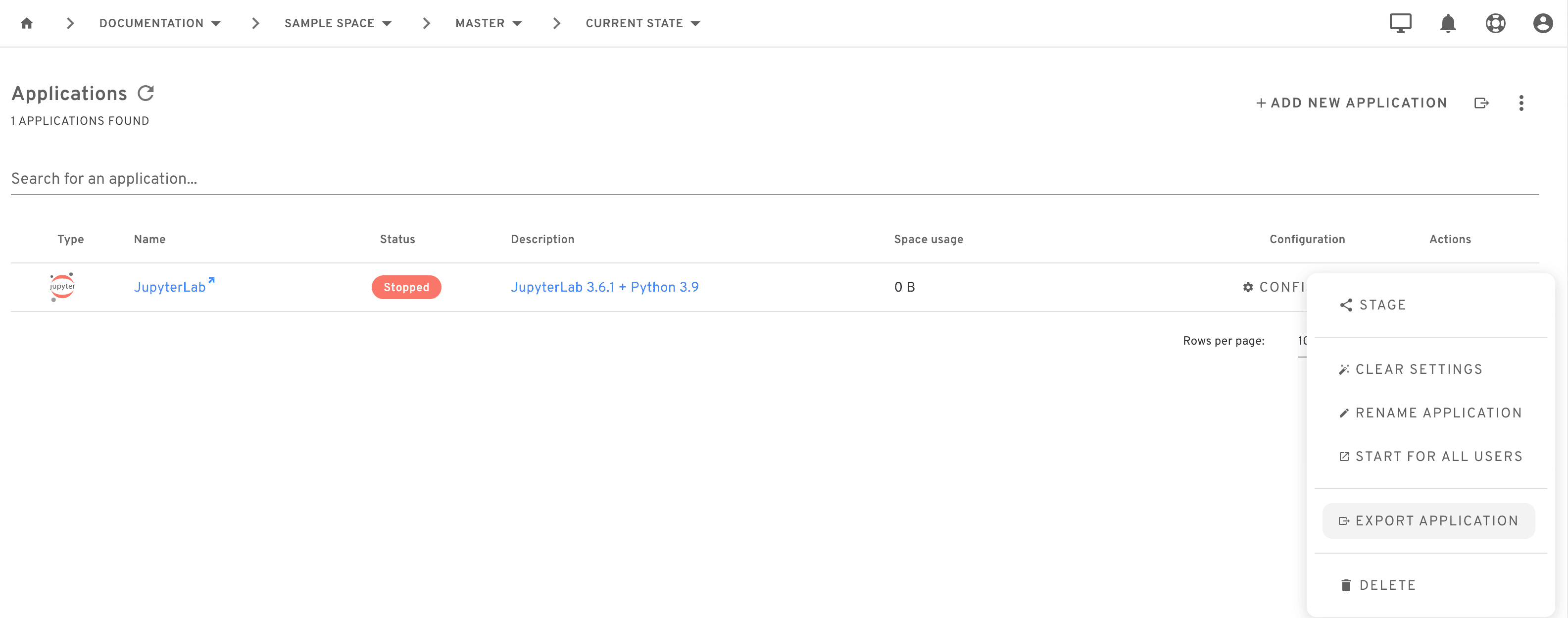
- Last but not least, you can export your Docker container for use by others - whether colleagues, reviewers, or other project teams. We have previously described how Nuvolos fosters openness and reproducibility in computational research as fundamental parts of the platform architecture, and Docker container export is an important part of this design. You can export any tool in any configuration straightforwardly using the platform UI, which will then provide you with a container on Dockerhub and a ready-for-use pull script for that specific container you can run in Docker itself. All you need is a working version of Docker, you can copy-paste everything else.
Conclusion
To sum up, Nuvolos offers full flexibility and ease of use for Docker as an integral part of our platform design. This shows how enhancing reproducibility and openness in computational research is core to everything we do, while maintaining our promise that you can always work in your preferred working environment and you do not need to learn any new or proprietary ways of interacting with your software stack, libraries, or code. The Docker export feature Nuvolos offers is also one of our various features designed to support collaboration in computational research, since we believe that fast and easy project management is essential for the future of cutting-edge R&D.
Want to try it for yourself? Get in touch and we are happy to offer you a demonstration or provide a free trial period.