
How to Run a Cellranger Pipeline on Nuvolos

Introduction
As the most complete and flexible platform for research workflows, Nuvolos offers a large suite of ready-configured tools covering all fields of computational science. In recent articles, we have demonstrated the value of using Nuvolos in the biotech sector, for example when running omics workloads with AlphaFold2 and RFDiffusion. In this article, we will expand on this by showing how even relatively complex and high-end processing tools in biotech, like Cellranger, can be deployed on Nuvolos with minimal effort.
Running your workflow on Nuvolos saves you time and effort on managing cloud infrastructure, on tool configuration, and on the complexity of collaboration and versioning. While we use a Cellranger Multi pipeline as an example in this article, Nuvolos can run virtually any biotech application or tool in its optimal configuration, offering a degree of flexibility and compatibility unmatched by any simple notebook software.
What is Cellranger?
Cellranger, a product of 10X Genomics, is a commonly used tool for running data analyses on the cells of the immune system. The tool can combine data from different immune profile library types and analyze the key features of a given immune response (e.g. in the context of transplants or cancer treatment), allowing sophisticated data pipelines for single cell analysis. In this demonstration, we'll focus on the salient Cellranger Multi pipeline, which can take any combination of Gene Expression, Feature Barcode, and V(D)J libraries and performs a series of standard data analyses on them.
As a command line tool, Cellranger needs to be provided with the correct parameters to identify the correct data for processing. As we will see, this is no problem for integration with Nuvolos for easier workflow management, however. In this article, we will start at the beginning, with obtaining NIH data, and then show how the data is uploaded and stored in Nuvolos. It is then combined with the appropriate wrapper for running a Cellranger multi pipeline on it. Finally, we will provide some meaningful benchmarks to show how fast and easy Nuvolos makes running a typical pipeline of this kind on representative data.
Obtaining the input data (optional)
First and foremost, you need to get meaningful single cell data so that a representative Cellranger multi pipeline can be run on it. You may have these already to hand, in which case you can go directly to the upload to Nuvolos. In our case, we used the Sequence Read Archive (SRA) of the U.S. National Center for Biotechnology Information (NCBI), which provides a cloud delivery service on request for specific sequence reads.
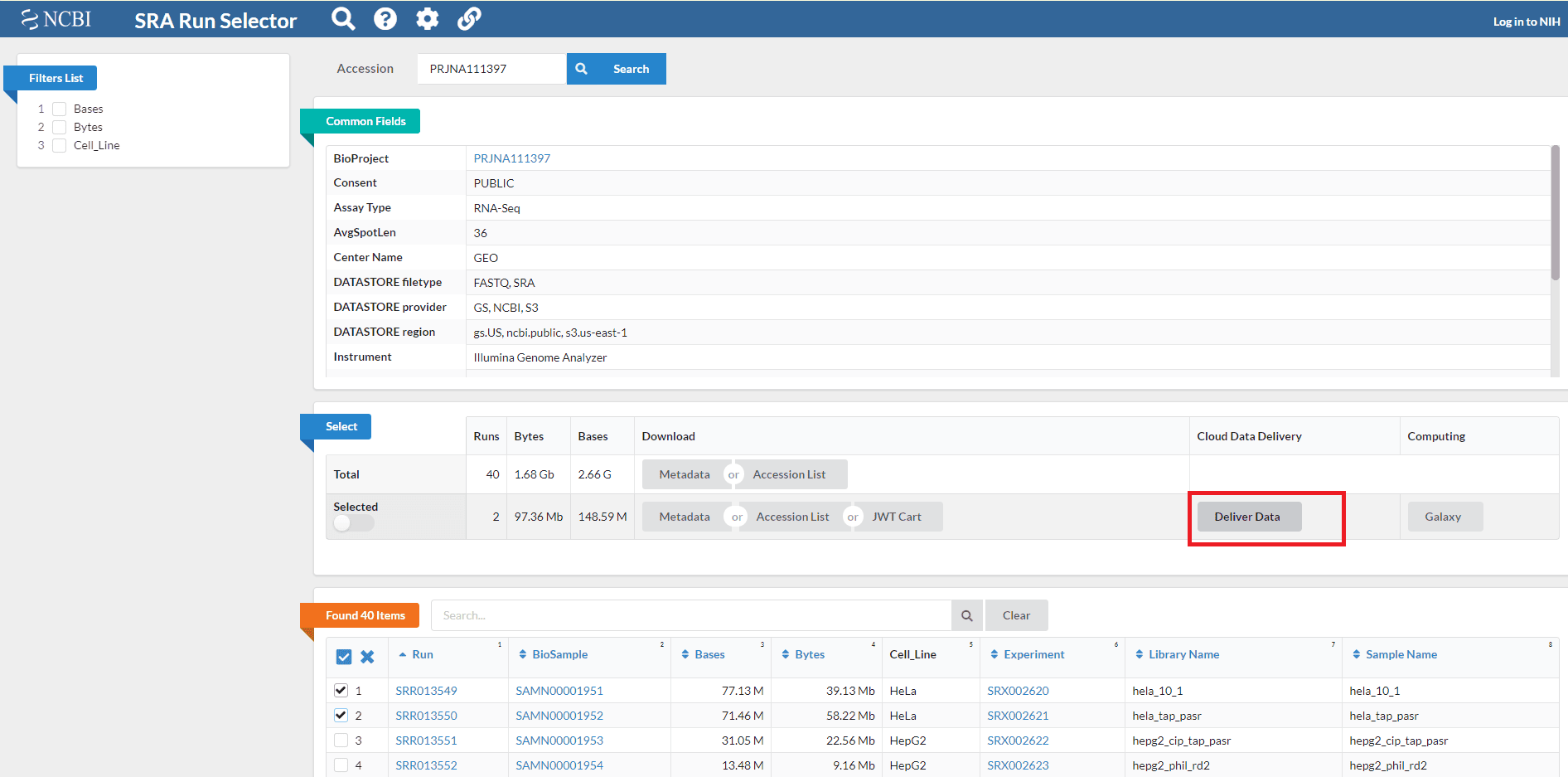
As the cloud delivery service site indicates, this requires using a specific AWS S3 bucket where the data can be delivered, as well as the correct AWS region for cost minimization (in this case, US East - North Virginia, as the NCBI is based in the DC area).
Assuming you have an AWS IAM account with the necessary organizational credentials, it is easy to set up an S3 bucket. If you have never done so before, you simply follow the steps outlined in the AWS S3 bucket documentation, which are (for once) relatively straightforward. There is no need for specially configured security settings, as the necessary information can be fed directly into the NIH SRA data delivery order form. The form will return a simple CLI script which you can then add as a security setting to your AWS S3 bucket so that the SRA staff can access it and transfer the files.
Once the SRA has delivered the data to your bucket (this should take no more than 48 hours), you have the necessary material to actually run your Cellranger Multi pipeline on. Now you need to get it into Nuvolos so you can work directly in the browser with all the necessary cloud compute and storage infrastructure at your fingertips.
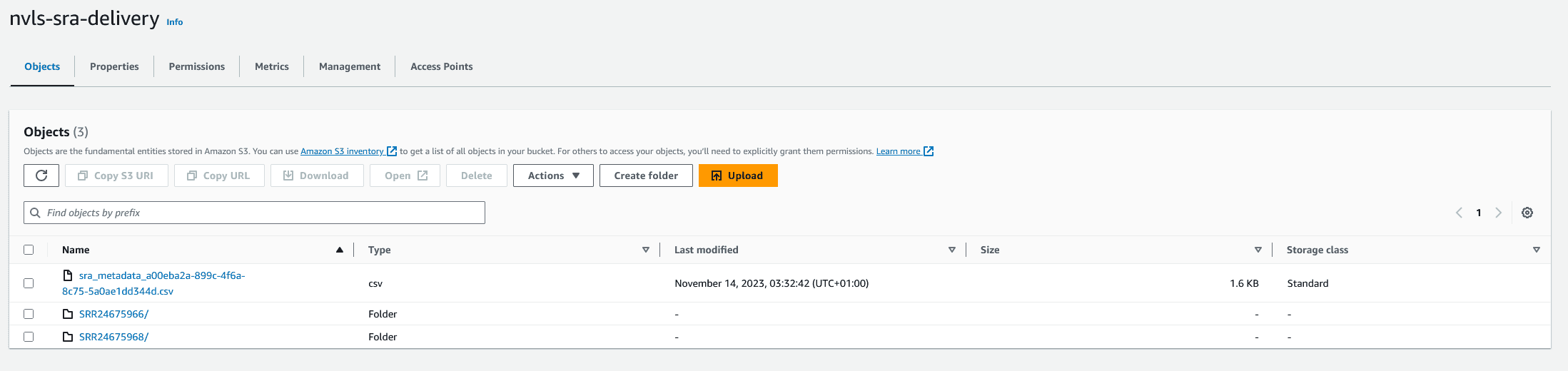
Fortunately, this is very easy to do. AWS provides a number of different methods for downloading S3 bucket data elsewhere - we used the AWS CLI for this purpose. AWS directly provides the relevant CLI command. (Note that you will have to pay egress costs for AWS on this, which will vary by the size of the files. This is unrelated to Nuvolos but cannot be avoided if you are using the SRA cloud delivery method. If you have your own files to hand already, all the above does not apply.)
Since for convenience every tool on Nuvolos comes pre-installed with the package manager Conda, the download process is as simple as installing the AWS CLI via Conda in Nuvolos, and then using the command that AWS provided. You can then store the S3 bucket contents directly in the Nuvolos large file system (see below). If you have your own data instead, you can simply upload it there via the Nuvolos UI.
Setting up your pipeline on Nuvolos
Nuvolos has multiple high performance file storage systems, in order to provide flexibly for the needs of different kinds of research workflows. In our case, we are concerned with relatively large files that will be used as inputs into the Cellranger Multi data pipeline.
For this purpose, Nuvolos has developed the large file storage system - which has also recently been given a fresh UI overhaul for even easier use. As the name suggests, the large file storage system is optimized for larger and mostly static files, often inputs into a data analysis pipeline (as is the case here). This saves considerably on unnecessary costs involved in regular file-system storage and high feature-availability for files that are not constantly subject to change.
Next, we need to configure Cellranger so it can find the relevant data in the large file storage system. Moreover, as the data gets analyzed through the Cellranger Multi pipeline, it will provide output, which will be dynamic files. These are best stored not in the cloud-based large file storage system, but on the temporary storage Nuvolos provides with dedicated high-performance computing nodes. This means we need file transfers as part of the pipeline as well. Sounds complex, right?
Wrong. We commit to providing best-in-class configurations for all tools and applications that run on Nuvolos, and Cellranger is no exception. Nuvolos offers a preconfigured wrapper that covers the entire Cellranger Multi pipeline process, from data input to processing to output, including the transfer from one file storage type to another. Moreover, for such workflows Nuvolos provides multiple virtual machines with generous temporary storage to assure that there are no data capacity issues with any part of the pipeline or process.
This means you can open up a terminal window in any relevant application for data analysis with Cellranger installed (e.g. Jupyter Notebook or VSCode). You then simply run the Cellranger Multi wrapper:
./run_pipeline.sh -d scratch -o <name>
The data transfer (in and out of the hot storage) as well as the operation of Cellranger multi's analyses themselves are then run by the wrapper command. Note that naturally, the file transfer processes take a little time (approx. 10-11 minutes for the concrete example and of course this depends on the amount of data transferred).
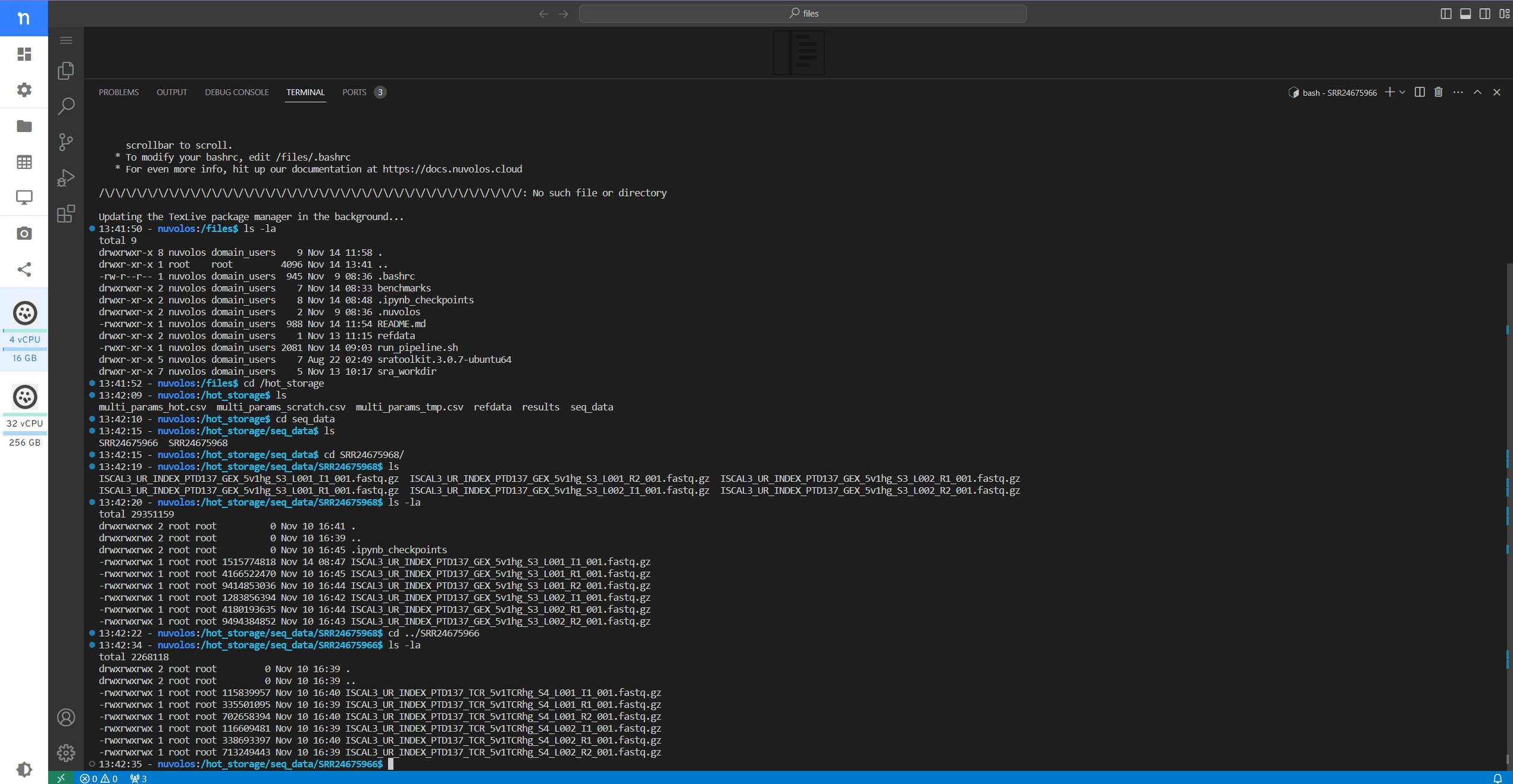
And there you are: a Cellranger Multi pipeline run freely within any relevant app of your choosing on Nuvolos. Now you can benefit from all the combinations with other tools, the virtually limitless cloud storage and compute options, and much more that the Nuvolos platform offers, while being able to run your Cellranger workflow just as you are used to.
Benchmarking the results
Nuvolos offers a variety of compute nodes for any workload, giving you the freedom to choose the right option for your needs. In order to ensure that Nuvolos achieves the high standards of performance we expect, we run benchmarks against different compute resource options on our optimized configuration workflows. For the Cellranger Multi pipeline, we benchmarked 8 different possible compute node options (of which 5 are shown here).
The results gave 3 preferred options. Each of these options gives optimal performance, but between them there are tradeoffs in terms of cost vs. time, which leaves the user with flexibility to determine their own priorities. Purely for illustration of Nuvolos performance on a workload of this type, we give these benchmark results here. (For those unfamiliar, a reference to wall time can be found here.)
| Node | CPU | Wall Time (Mins.) | Cost (€) | Cost/Minute |
| d32s | Cascade Lake | 123 | 5.248 | 0.043 |
| d64s | Cascade Lake | 89 | 7.595 | 0.085 |
| e32bds | Ice Lake | 85 | 6.233 | 0.073 |
| m64s | Haswell | 96 | 20.736 | 0.216 |
| hb120rs | Milan-X | 62 | 6.696 | 0.108 |
As you can see, we have highlighted three compute resource options that we think offer particularly good performance for a representative Cellranger Multi pipeline. The tradeoff is between the cost efficiency of the d32s option and the total runtime, which is roughly twice as high as the hb120rs node, which can perform the entire workflow in just over an hour of compute time but at higher per unit cost. The e32bds node provides a good balanced option, with slightly higher costs than the d32s but a savings on time of roughly one third. With Nuvolos, you always have the choice to decide what works best for your own project needs, both in terms of time and of budget control, while having all the resource potential of the cloud available to you with just a few clicks.
Conclusion
In short, even a relatively complex data analysis pipeline for biotech like Cellranger Multi is easy to set up and run on Nuvolos. Not only is the process of data import straightforward, but Nuvolos also provides the necessary configuration and code wrapping to make the workflow a smooth experience. At the same time, you have all the benefits of a huge suite of possible tools and applications, of all the storage types and sizes required, and of virtually limitless compute resources. Nuvolos is also highly performant, being able to run the entire pipeline process in just about one hour.
We think these results speak for themselves in demonstrating the value of the Nuvolos computational platform for research in biotech. And this is just one of many examples of how you can run sophisticated third-party software on the Nuvolos platform, with scalability, collaboration, and affordability guaranteed. There is no need to change your way of working, and you can match your compute resource needs to your project budget. Interested? Get in touch with our sales team now.