
Empowering Generative AI: JupyterAI on Nuvolos

Introduction
In the ever-evolving landscape of artificial intelligence, Nuvolos stands at the forefront, closely monitoring the rapid progress and expanding use cases of generative AI. In this article we are excited to explore how generative AI, coupled with our cutting-edge platform, can enhance your computational-intensive endeavours. The race for the ultimate AI solution is still wide open, and at Nuvolos, we are determined to empower you by offering the flexibility to use the AI tools you like, with as much freedom as possible.
Jupyter AI: an integrated AI tool to improve productivity
Among the variety of tools available, one standout option for those working with notebooks is Jupyter AI. This powerful tool serves as a Swiss Army knife, enabling users to generate code, gain deeper insights into existing code, and explore datasets with unparalleled ease. Whether you're a seasoned expert or a newcomer to the world of AI, Jupyter AI offers an intuitive interface that enhances productivity and streamlines workflows. Furthermore, its compatibility with a diverse range of models ensures that users have the freedom to choose the model that best suits their needs.
Installation
Just open the extension manager of JupyterLab and search for jupyter-ai. We recommend to use one of the recent versions of JupyterLab available on Nuvolos.
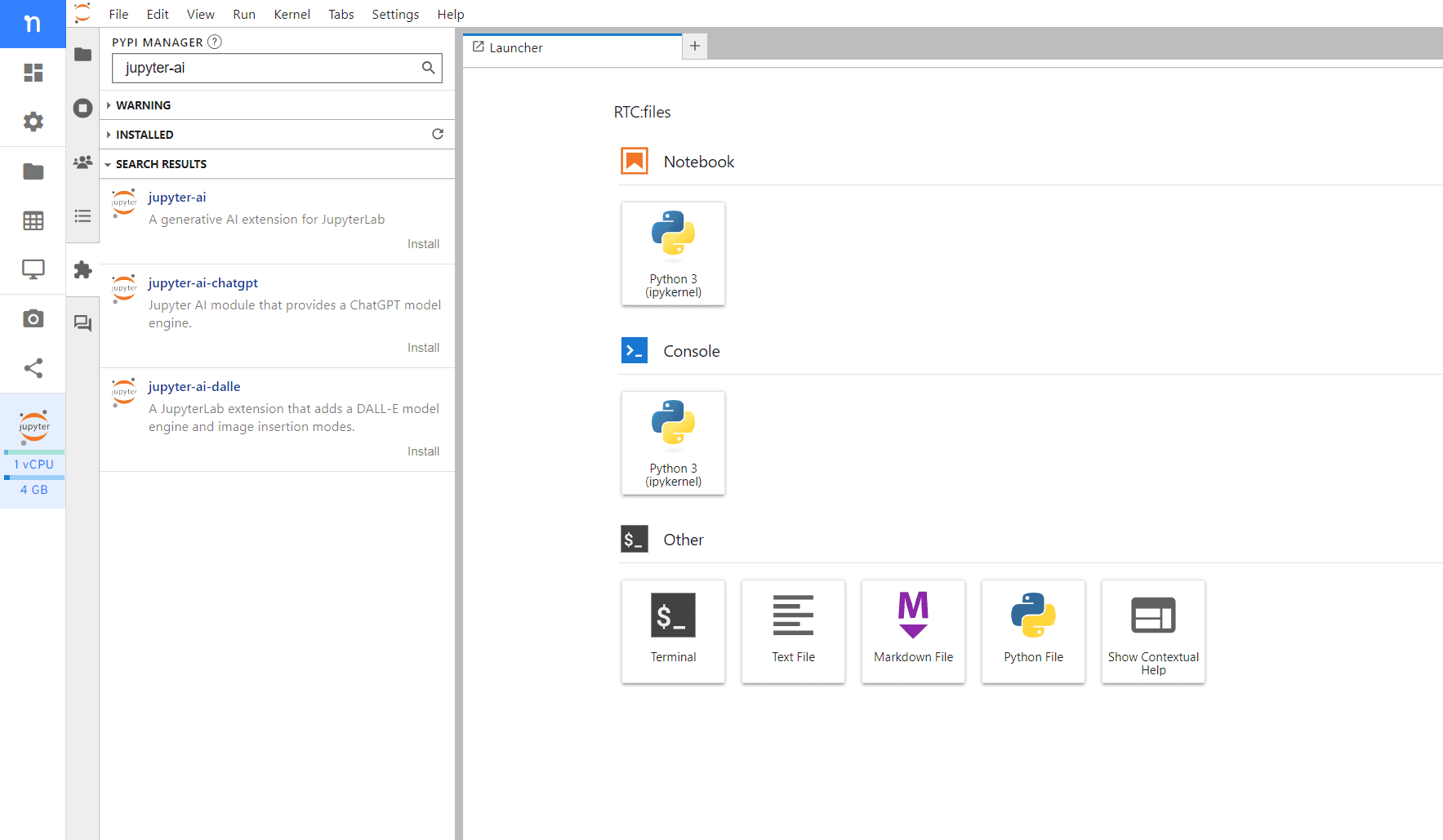
After the installation, you might need to do a full page reload to make the new Jupyternaut menu visible
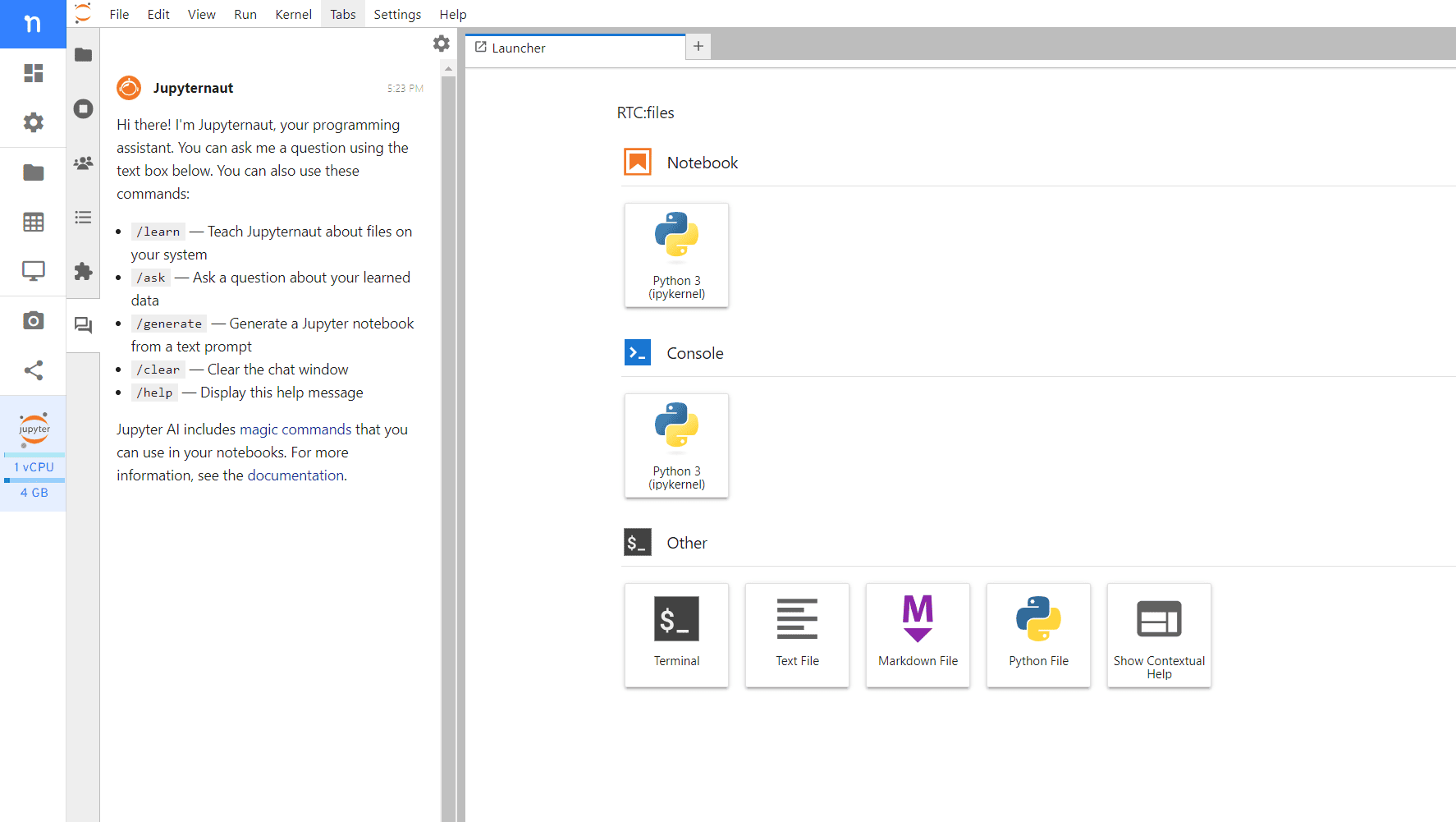
Configuration example with OpenAI
As Jupyter AI uses third party models that require your personal API key for access, it's essential to address security concerns. Our platform offers support for securely storing secrets, including your OpenAI API key. Your information is safeguarded within our secure environment, ensuring you only set up once, and access anywhere on Nuvolos.
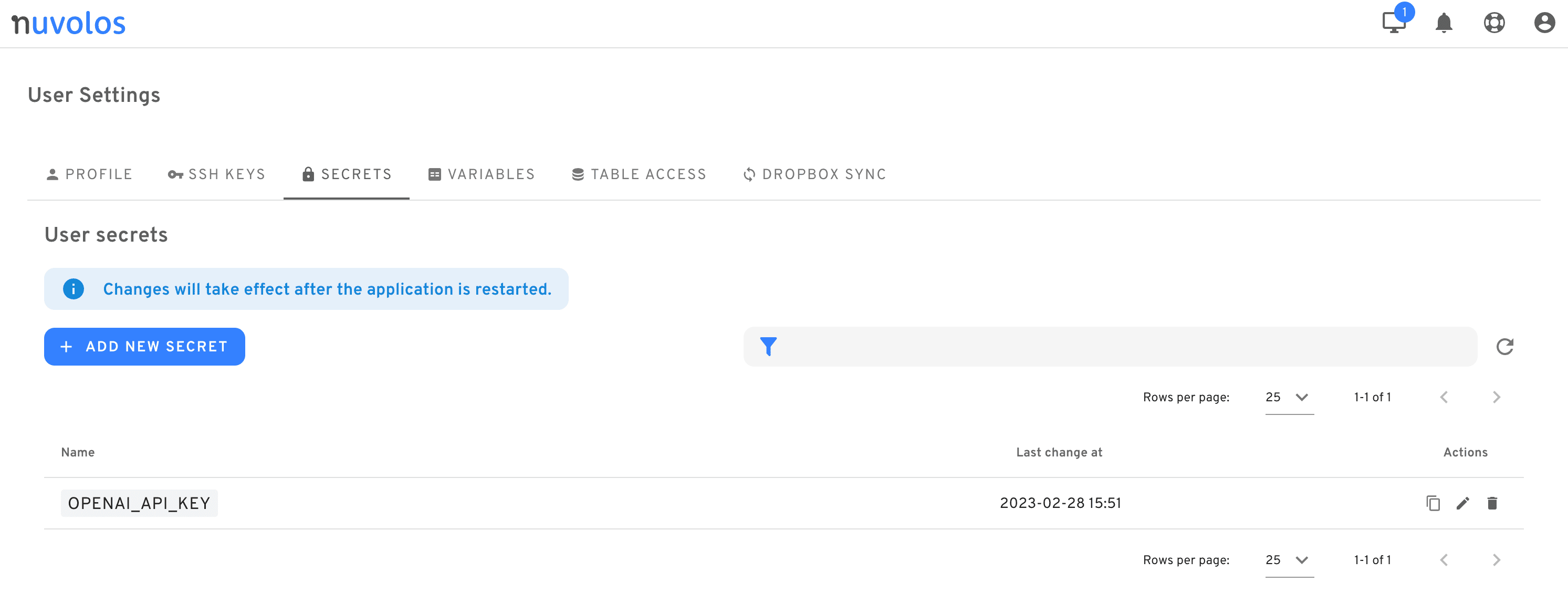
Once you set up the secret in Nuvolos, every app that you run on Nuvolos will automatically and securely access it. That's all it takes to get started with the %%ai cell magic in notebooks.
LaTeX generation
Jupyter AI is primarily a coding assistance tool, but it can do much more. It can also explain functions in a descriptive way in beautifully formatted, readable LaTeX or Markdown format. This feature not only simplifies complex concepts but also enhances your understanding of algorithms, making it an invaluable asset for both learning and advanced research.
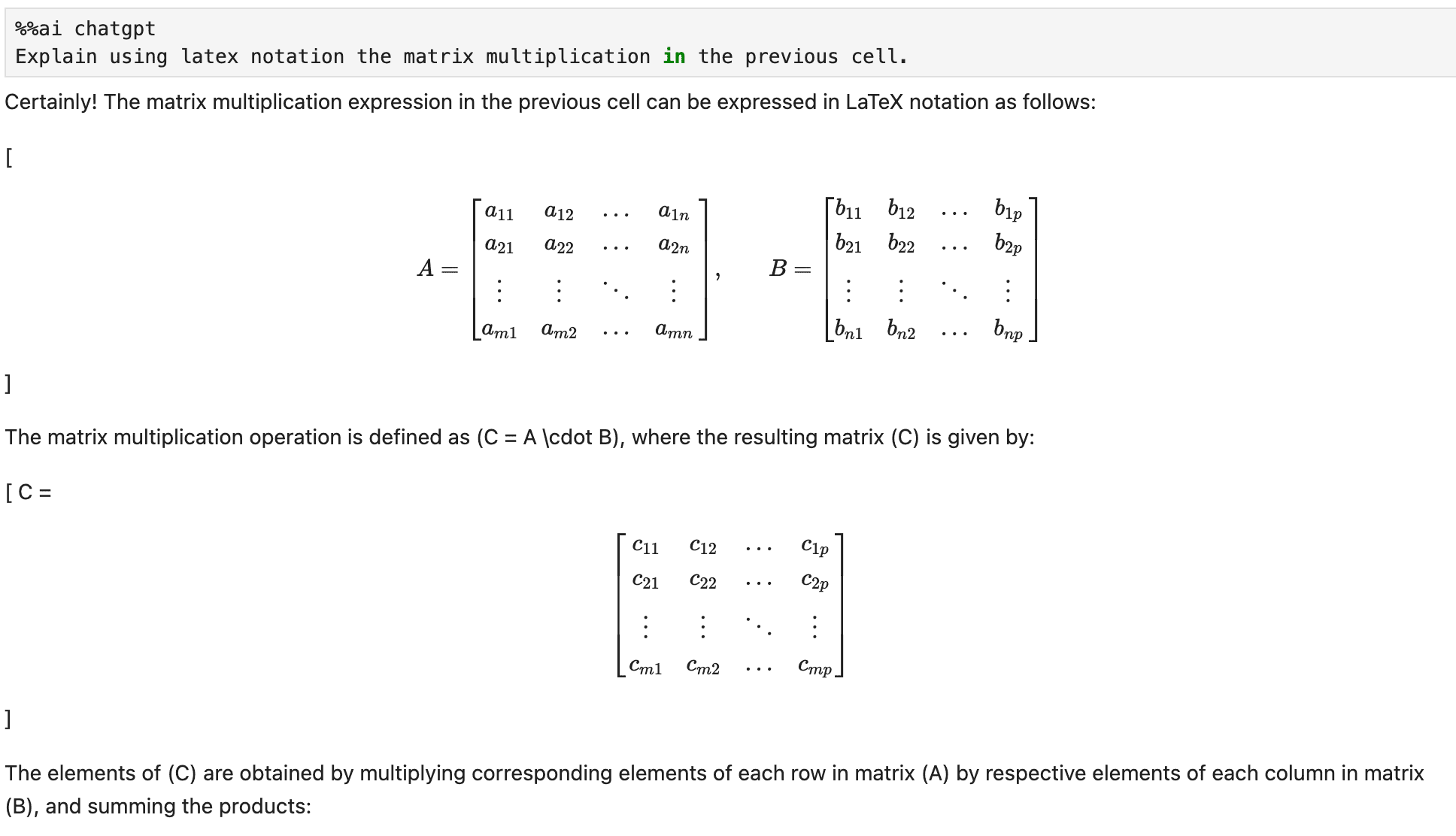
At Nuvolos, we understand that your AI journey can be riddled with challenges, from debugging code to deciphering data. Jupyter AI acts as your trusty companion, empowering you to overcome these obstacles and achieve remarkable results.
Debugging Made Easy
Let's dive into a real-world example to demonstrate the power of generative AI. Imagine working with Pandas DataFrames and wanting to group your data by the month of the dates. However, there's a common oversight—you forget to convert the column to a datetime format when reading it.
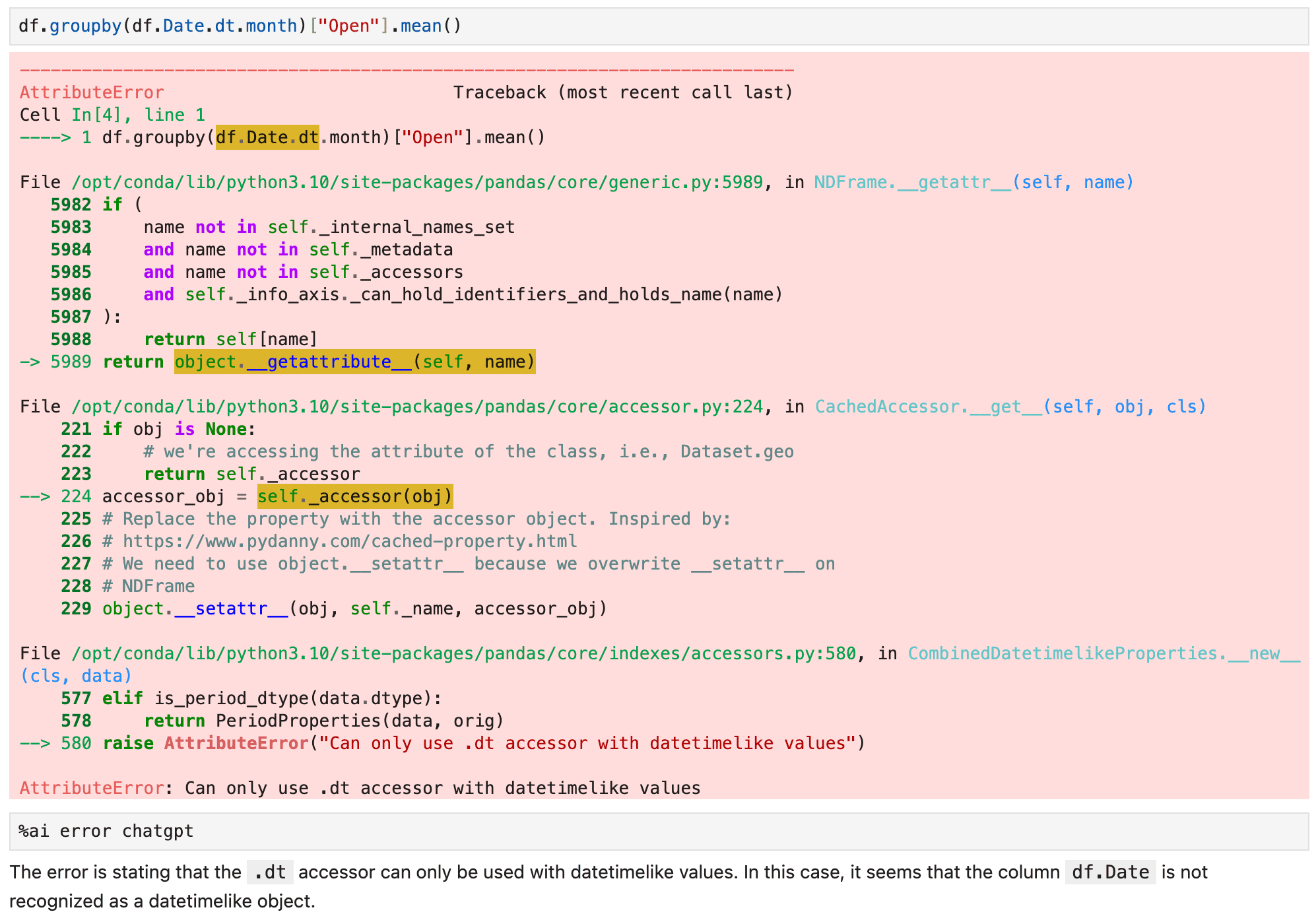
With Jupyter AI's %ai error chatgpt magic command, you can quickly gain insights into the last exception, making debugging a breeze. We strongly believe that endorsing tools like Jupyter AI will help you bring out the most of Nuvolos as well, and focus on what truly matters.
Conclusion
While navigating the world of data, having a powerful tool like JupyterAI at your fingertips can be a game-changer. It not only simplifies complex operations but also offers the ability to explain functions descriptively with beautifully formatted LaTeX code. This feature not only eases the debugging process but also enhances our understanding of the data and algorithms we work with.
In line with our mission, with integrating tools like Jupyter AI, we at Nuvolos aim to make science simple, letting the creative ideas emerge instead of being suppressed by troublesome debugging processes.